
The new owner initiates the change of ownership of an .EE domain from their own ZoneID account. If you do not have an account yet, create one on the My Zone registration page.
To change the owner, you need the domain authorisation code, also known as the EPP code. The current owner requests the code and forwards it to the new owner. If the domain is already in the future owner’s ZoneID account, the authorisation code can be requested and the change of ownership initiated from that same account.
Instructions are available in the article Estonian .EE domain authorization code and how to order it.
Placing an order
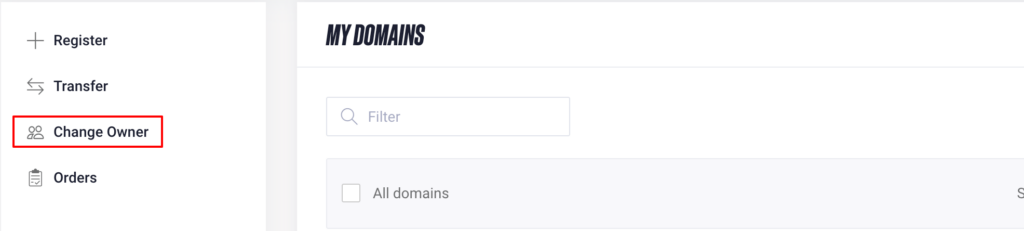
In My Zone, open domain management and select Change owner.
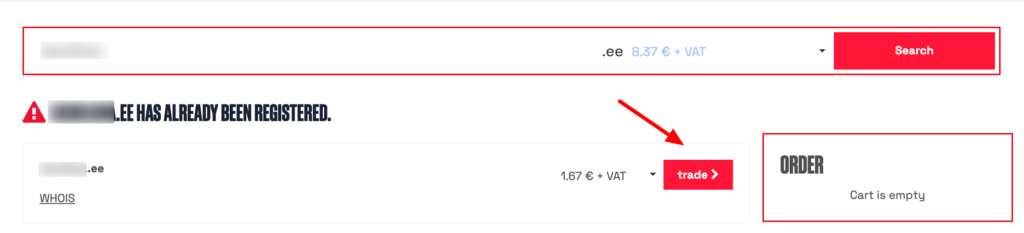
Enter the domain name and select trade.
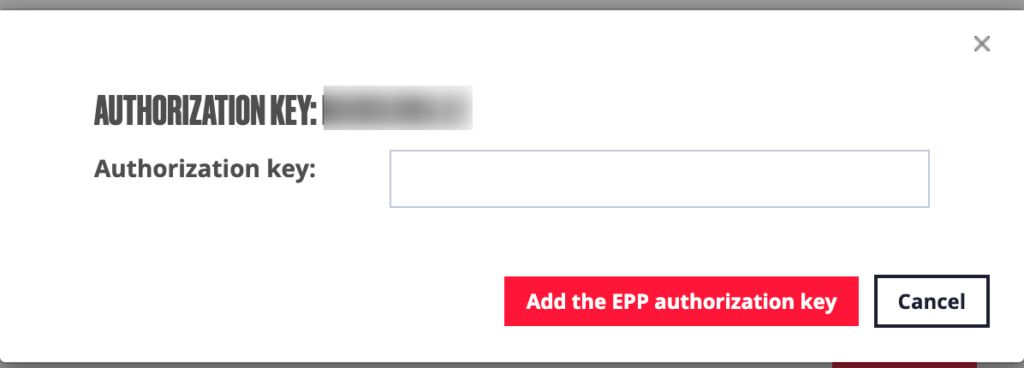
Enter the authorisation code received from the current owner, click Add authorisation code (EPP code) and then Continue.
By default, the new domain owner is the owner of the ZoneID account you are logged in to. You can change the new owner’s details if needed. Changing the domain owner’s details does not change the ZoneID account details or the invoice recipient.
In the order overview, check:
- which ZoneID account the order will be linked to and who will receive the invoice;
- the new domain owner’s details;
- the administrative contact’s details.
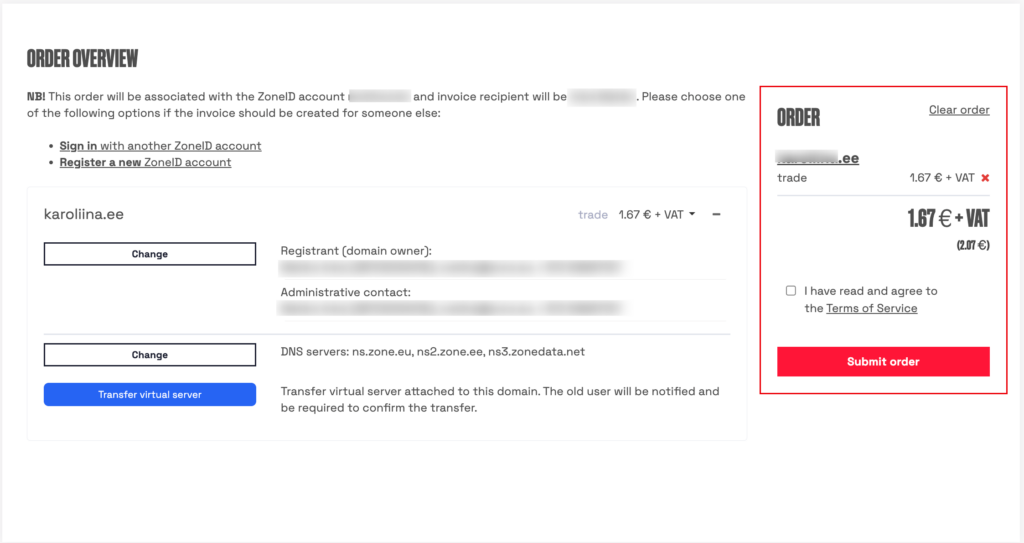
If you also want to take over the web hosting service associated with the domain, select TRANSFER THE WEB HOSTING SERVICE AS WELL before placing the order. This is explained in more detail at the end of the article.
Read and accept the Terms of Service, then place your order.
Paying the invoice and authorising the application
Pay the invoice for the change of ownership. If the payment successfully authorises the application, separate identity verification through eeID is not required. To authorise the application, the payment must come from a bank account belonging to the new owner or their authorised administrative contact.
After payment, open domain management in My Zone, select Orders and click Authenticate next to the order.
The system checks whether identity verification is required for this order:
- If identity verification is required, an eeID link will appear on the next page.
- If identity verification is not required, a message will confirm this.
Detailed instructions for verifying your identity through eeID are available in a separate help article.
If the new owner is represented by an authorised administrative contact, we must have a power of attorney confirming their authority to represent the new owner. If needed, send it to info@zone.ee and include the domain name in your email. You can use our power of attorney form.
Confirmation by the current owner
Once the new owner’s application has been authorised and the invoice paid, the Estonian Internet Foundation (EIS) sends a confirmation email to the current owner.
The email is sent from no-reply@internet.ee with the subject:
Kinnitustaotlus domeeni sinudomeen.ee registreerija vahetuseks / Application for approval for registrant change of sinudomeen.ee

The current owner must open the link in the email, check the new owner’s details and approve or reject the change of ownership.
Completing the change of ownership
Once the current owner approves the change, the domain owner is updated immediately in the EIS registry. The order is marked as completed in My Zone shortly afterwards.
As the order is placed from the new owner’s ZoneID account, the domain moves to that account once the change of ownership is complete.
If the change has been approved but the order remains pending, contact our customer support at info@zone.ee.
Changing the owner of the web hosting service
If the web hosting service associated with the domain is in the current owner’s same ZoneID account, you can request to take it over when ordering the domain change of ownership. Select TRANSFER VIRTUAL SERVER before placing the order.
After the domain owner has changed, a separate email requesting approval for the transfer of the web hosting service is sent to the contact email address of the current ZoneID account. Once the current owner approves the transfer, the web hosting service and its billing move to the new owner’s account.
The current owner’s invoice for the prepaid period is credited, and the amount paid remains as credit on their account. The new owner receives a new invoice.
If the web hosting service is in a different ZoneID account from the domain, contact our customer support at info@zone.ee to arrange the transfer.