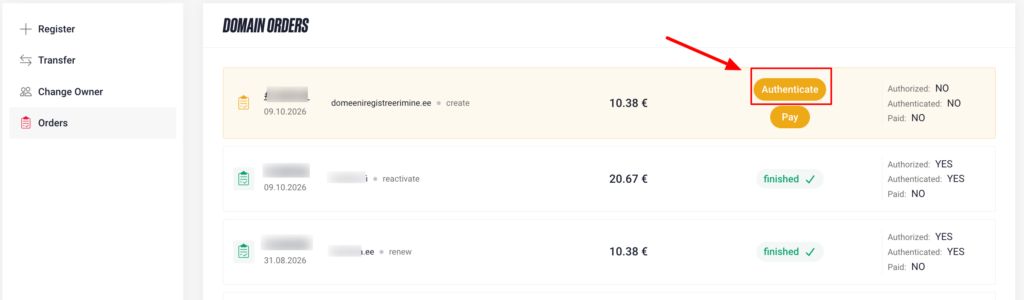
Choose a suitable domain name and submit a registration application on the Zone website.
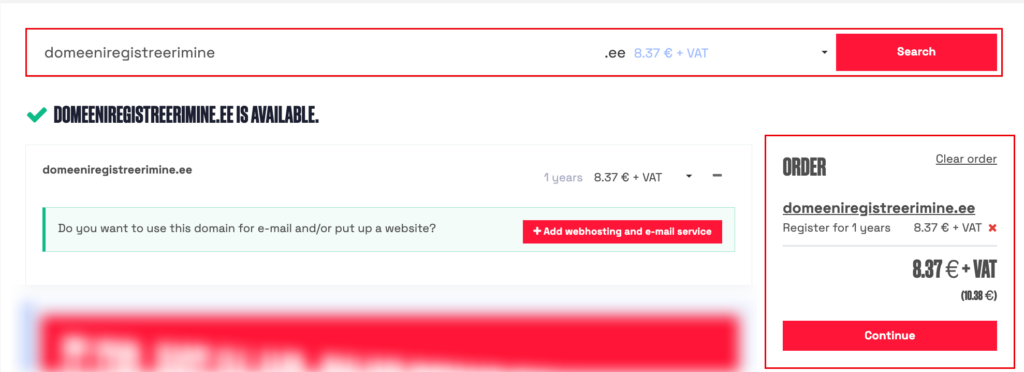
Placing an order
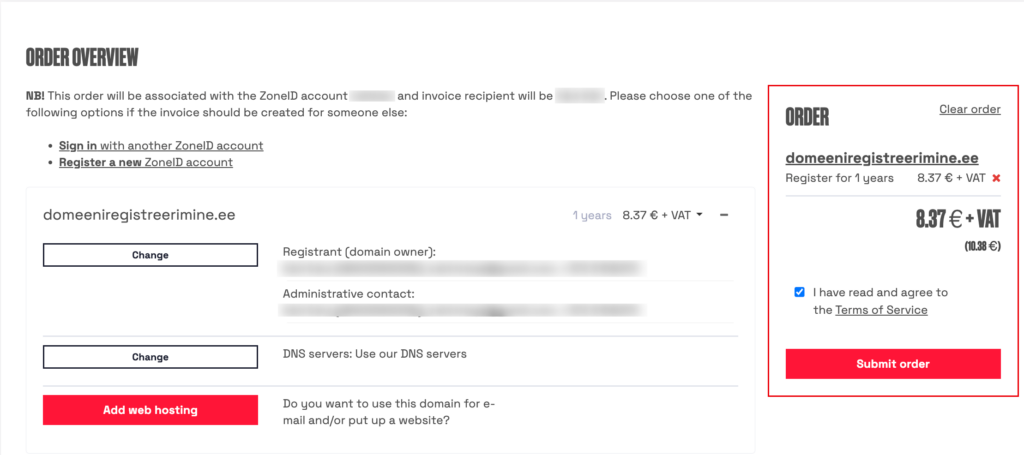
The order overview shows which ZoneID account is being used to place the order and who will receive the invoice. If you want the invoice issued to someone else, log in to their ZoneID account before confirming the order. If they do not have an account, create one for them.
By default, the domain registrant, or owner, is the owner of the ZoneID account you are logged in to. To change the registrant, click CHANGE next to the owner’s details. The registrant and invoice recipient may be different — changing the registrant does not change the invoice recipient.
The registration period is initially set to one year, but you can select a longer period.
Check the registrant and invoice recipient details, read and accept the Terms of Service, and place your order.
Authorising the application by payment
Choose a suitable payment method to pay the invoice. When using a payment link, select your bank — you will then be redirected to online banking.
The payment must come from a bank account belonging to the domain registrant or an authorised administrative contact. Include the invoice number or domain name in the payment description and use the reference number provided on the invoice.
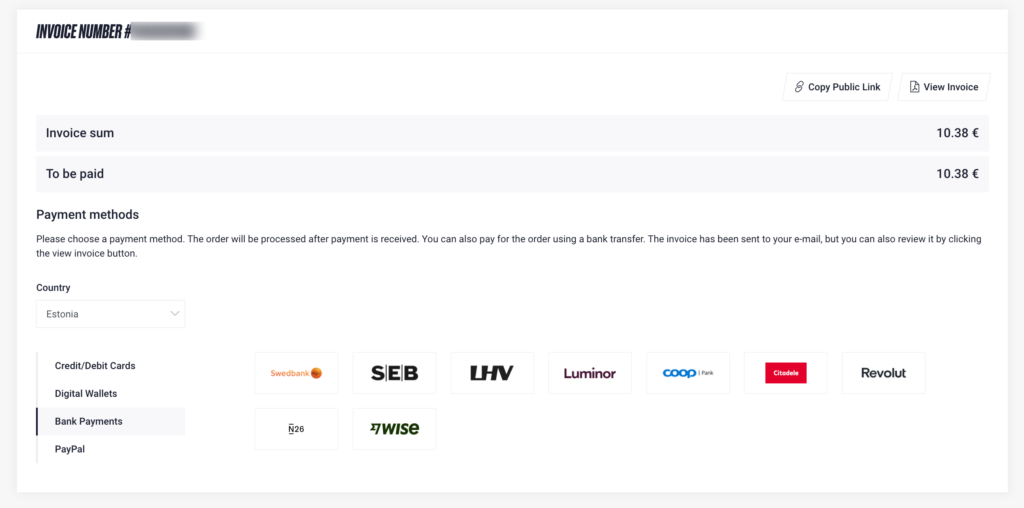
Select View invoice to download the invoice and pay it by bank transfer. You can also copy the payment link and send it to the person making the payment. To authorise the application, the payment must come from a bank account belonging to the domain registrant or an authorised administrative contact.
Authorising the application through eeID
If the application still requires authorisation and could not be authorised by payment, the next step is to verify your identity through eeID. You can use the link on the order page or forward it to another representative in the circumstances described below. The link allows identity verification without logging in to My Zone.
The name entered in the domain order must match the name on the document used for identity verification exactly. If the person has multiple given names or surnames, include all of them.
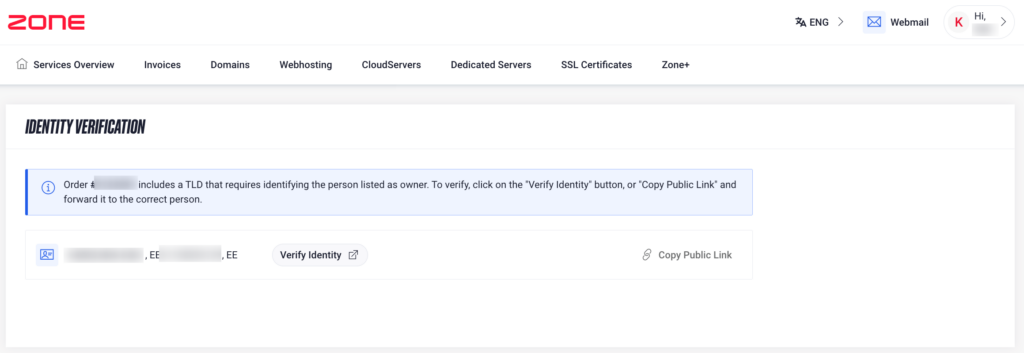
For individuals, the eeID link is created in the domain registrant’s name. For companies, it is created in the administrative contact’s name.
For Estonian companies, the link created for the administrative contact can also be forwarded to a management board member authorised to represent the company. Once they have verified their identity and their authority to represent the company has been confirmed, the order will proceed to processing. There is no need to change the administrative contact’s details.
If identity verification is completed by an administrative contact who does not have authority to represent the company, a power of attorney granted by a management board member must be submitted.
The administrative contact cannot delegate their authority to another person.
Submitting a power of attorney
Send the power of attorney to info@zone.ee and include the domain name associated with the order. You can use our power of attorney form if needed.
We accept properly completed powers of attorney. If there is any doubt about a power of attorney’s authenticity, we may request a notarised power of attorney.
Joint representation
If the Estonian Business Register specifies joint representation, identity verification by one representative alone is not sufficient. If the management board member listed as the administrative contact has already completed identity verification through eeID, contact our customer support. We will manually create an eeID link for the other management board member.
If the Business Register allows a particular management board member to represent the company individually and that person has completed identity verification through eeID, let our customer support know. The system does not automatically recognise these special cases.
For companies with joint representation, the simplest way to authorise the application is to pay the invoice from the company’s bank account.
Continuing an incomplete order
If the invoice has not been paid or the application has not been authorised, you can continue the order later. In My Zone, open domain management and select Orders.
To pay the invoice, click Pay next to the order
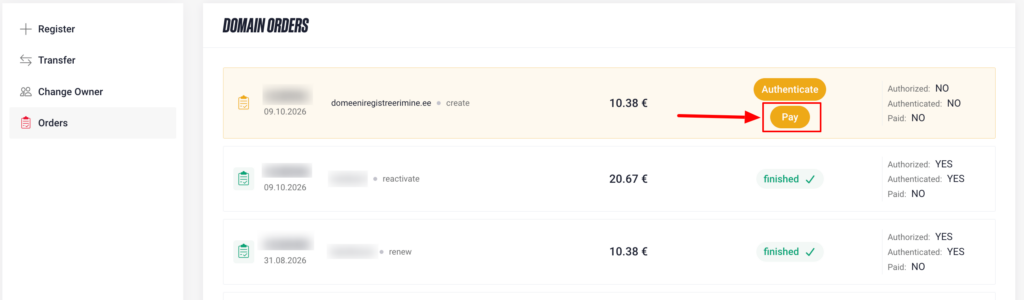
To verify your identity through eeID, click Authenticate next to the order. On the page that opens, you can also copy the identity verification link and forward it to the registrant or their authorised representative as described above.