
When registering a .EE domain, a personal identification process is required.
Zone uses for that eeID, with the identification performed by Veriff.
After ordering the domain, you will receive a personal identification link to start the process.
Starting the identification process
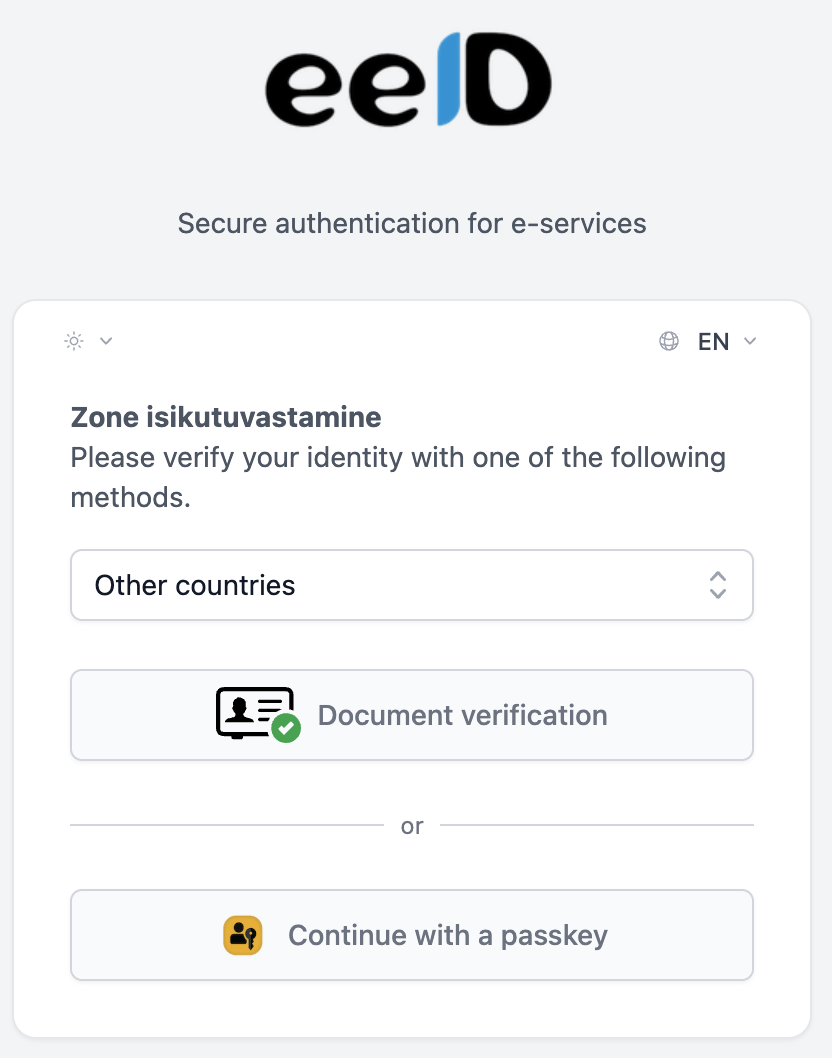
1. Select “Document Verification”
On the opened page, choose Document Verification.
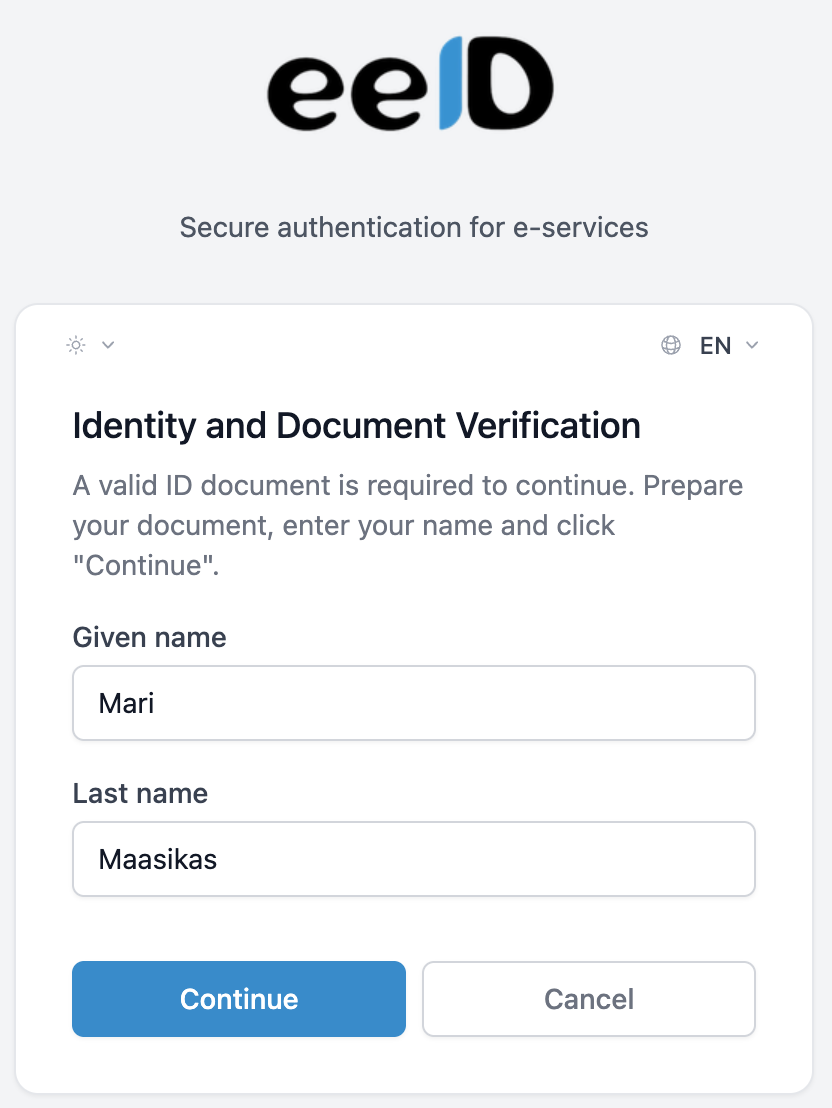
2. Enter your name
Enter:
-
First Name
-
Last Name
NB: The name must match exactly the one on your official identity document.
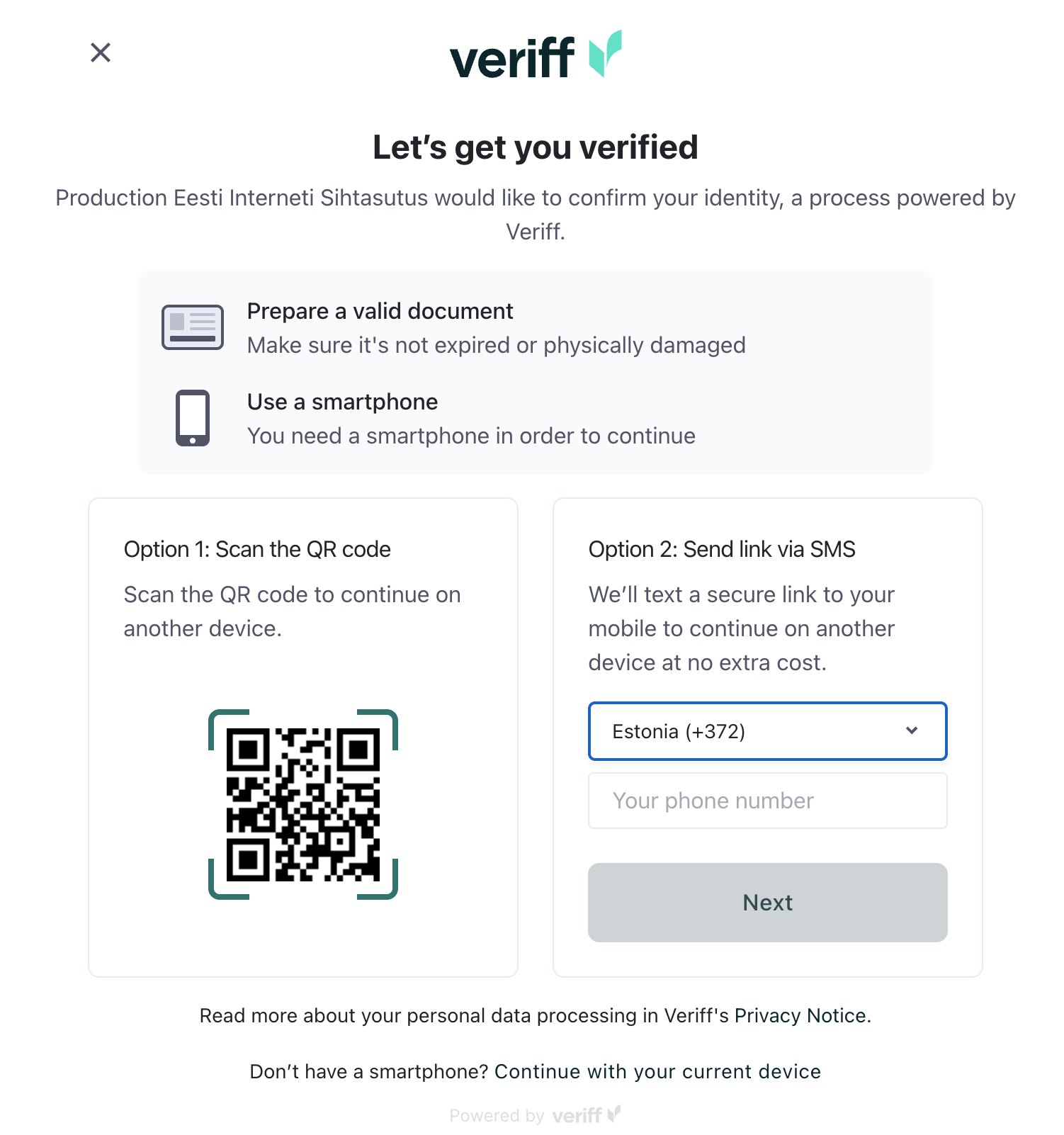
3. Continue verification on your phone
There are two options to continue the verification on your phone:
QR Code
-
Scan the QR code displayed on the screen with your phone
SMS Link
-
Enter your phone number
-
You will receive an SMS with a link to continue the verification on your phone
Identification process on the phone
Your phone will guide you through the following steps:
-
Take a photo of the front of your ID document
-
Take a photo of the back of your ID document
-
Take a selfie (photo of yourself)
The system will automatically verify your identity. The result will appear on your phone screen. Once the identification is successful you can close the verification windows on both your phone and computer. Zone will automatically receive the verification result and your domain order will then proceed to processing.
If the domain registrant is a company
If the .EE domain is registered by a company, the identification link is created by default to the administrative contact (admin contact).
However, the identification must be performed by a person authorized to sign on behalf of the company.
After the identification, please send a company registry extract to info@zone.ee, verifying that the person completing the identification is authorized to represent the company.
If the administrative contact represents the company
If you want the administrative contact listed on the order to act on behalf of the company, you need to send us a power of attorney. The completed and signed POA should be sent to info@zone.ee
Common issues during identification
The identification process may fail for the following reasons:
-
The name is entered incorrectly in the domain order
Incorrect:
Last name First name/First names
Correct:
First name/First names Last name
-
The name is entered incorrectly during the identification process
Enter the name exactly as it appears on the identity document.
-
Incorrect date of birth in the domain order
The date of birth must match the date shown on the identity document.
Need help?