Introduction
ZoneCloud allows you to securely share files and folders with colleagues, teams, and external users.
Sharing a file or folder
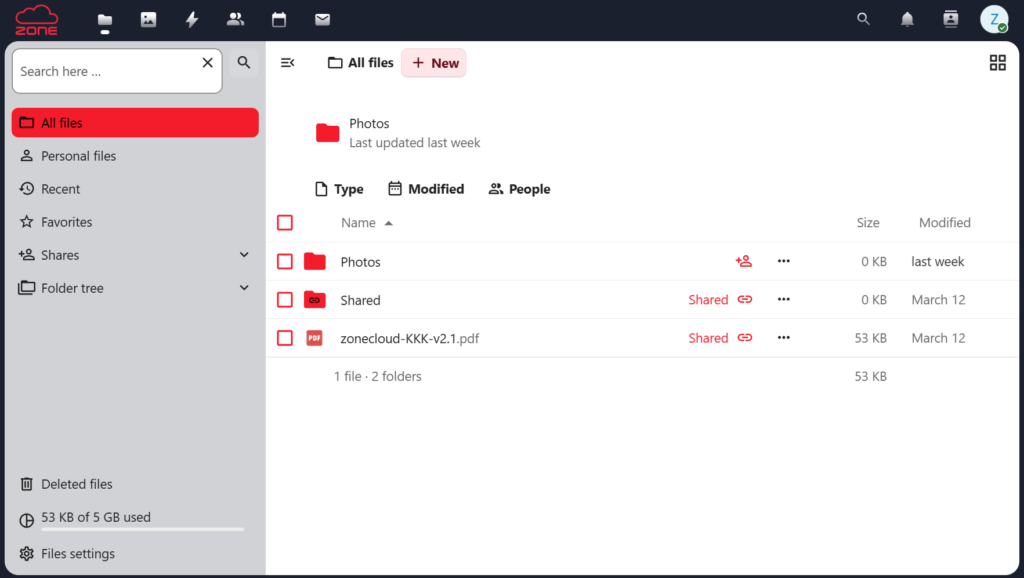
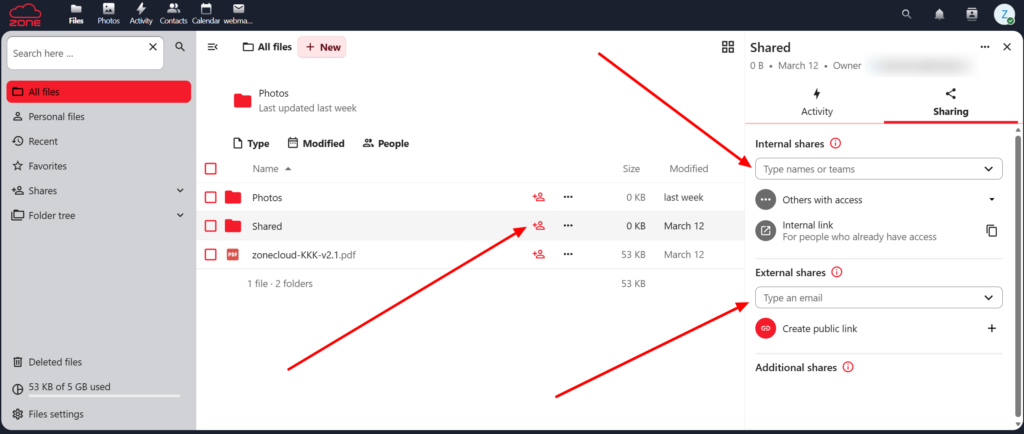
Go to the Files section in ZoneCloud and locate the file or folder you want to share. Click the share icon and choose the appropriate sharing method. Files can be shared with individual users or multiple recipients.
Internal sharing
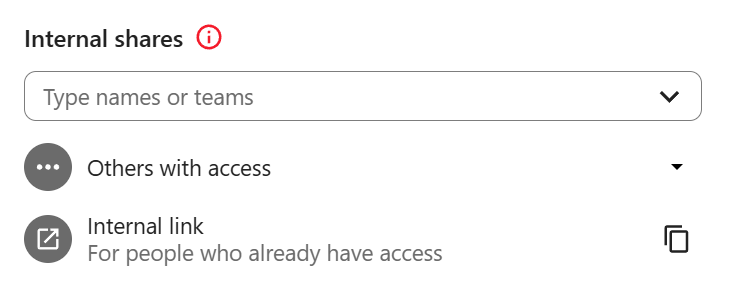
Files can be shared within the organization by selecting a user or group. Enter the name in the search field and choose it from the suggested list.
Internal link – You can also create an internal link for quick access. This link works only for users who already have permission to view the file.
External sharing
Files can be shared with users outside the organization via public links or email.
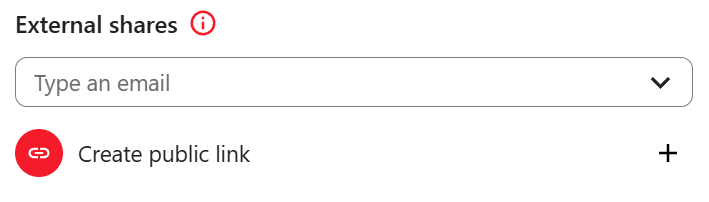
Email – Enter the recipient’s email address to share the file. The recipient will receive an email containing an access link.
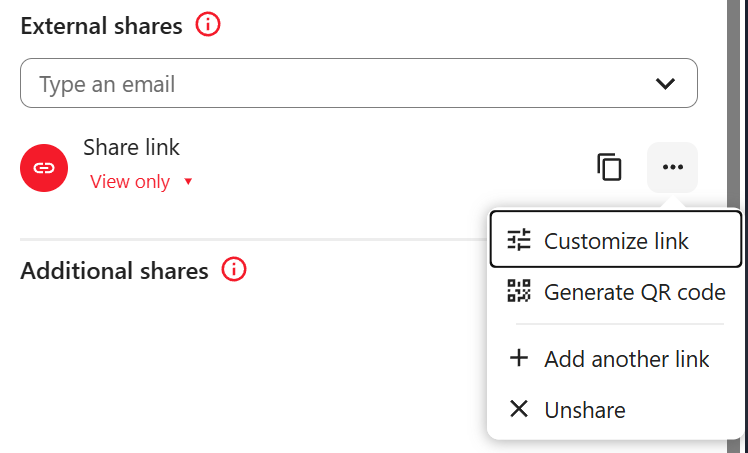
Public link – Select “Create public link” to generate a link that can be used externally. This link can be shared with anyone who needs access.
Customizing the public link – Click the three-dot menu to configure additional options. These include:
- setting a password
- defining an expiration date
- adjusting permissions
- applying additional access restrictions
Changing permissions
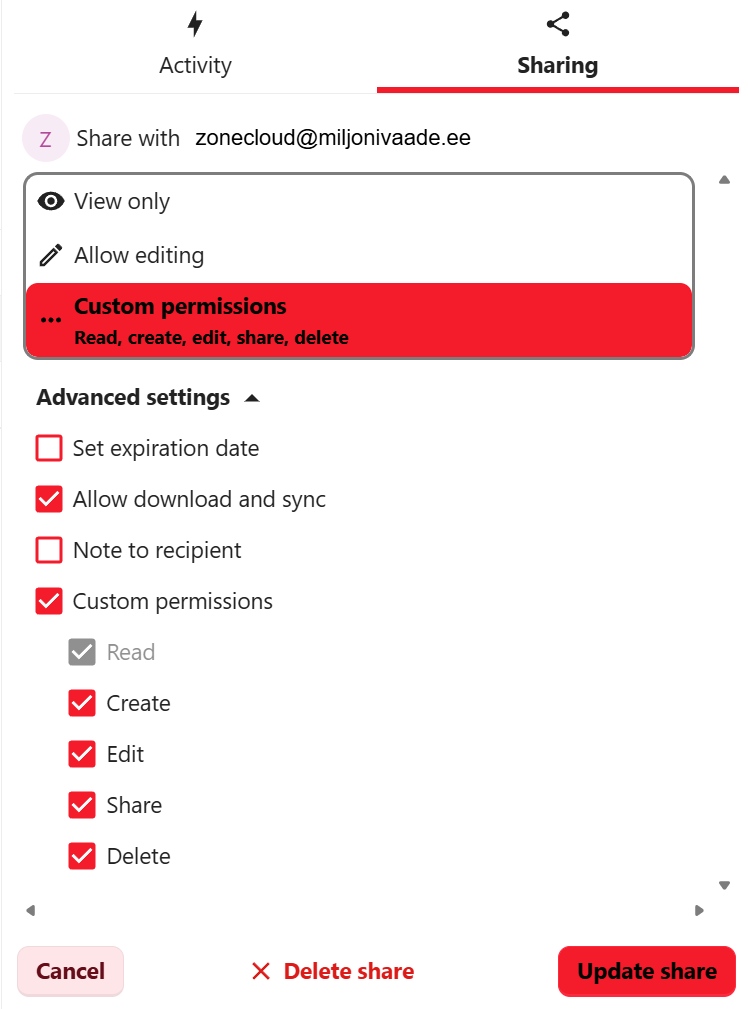
It is often necessary to restrict or adjust access to ensure files are available only to the right users. Permissions can be changed at any time to define what others can do—for example, view, edit, or reshare files.
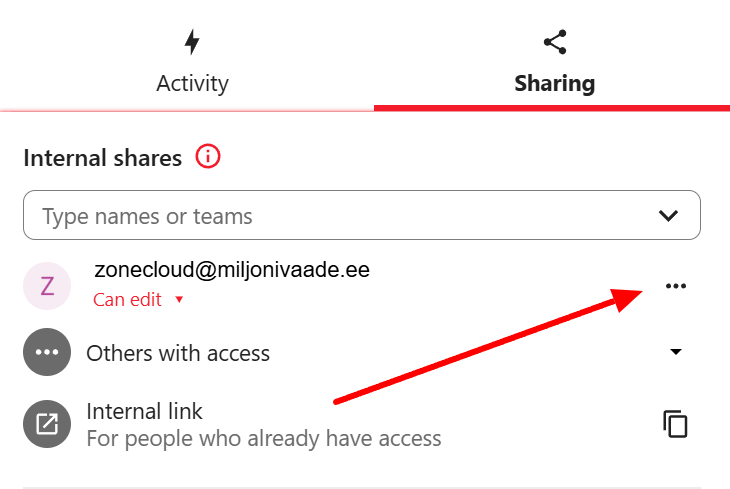
Permissions can be set or updated both before and after sharing. Access levels can range from view-only to full editing rights, depending on the required level of control.
Custom permissions can also be applied if more granular control over user actions is needed.