Creating a new event
You can create an event by clicking on the time slot in the calendar where the event is scheduled. In day and week view, simply click, drag, and release your cursor over the desired time range.
In month view, a single click on the desired day is enough to create an event. To add a multi-day event, you can also drag your cursor across multiple days.
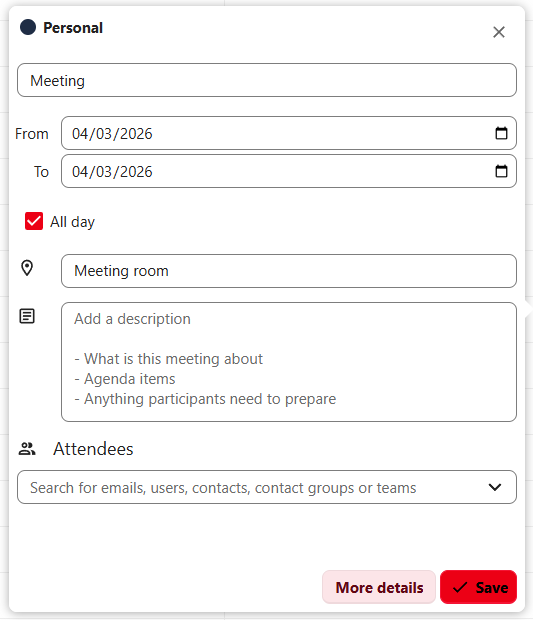
Clicking on the globe icon opens the timezone selector. To see this option, you must first uncheck the All-day box. If needed, you can set different timezones for the start and end of the event. This is especially useful when traveling.
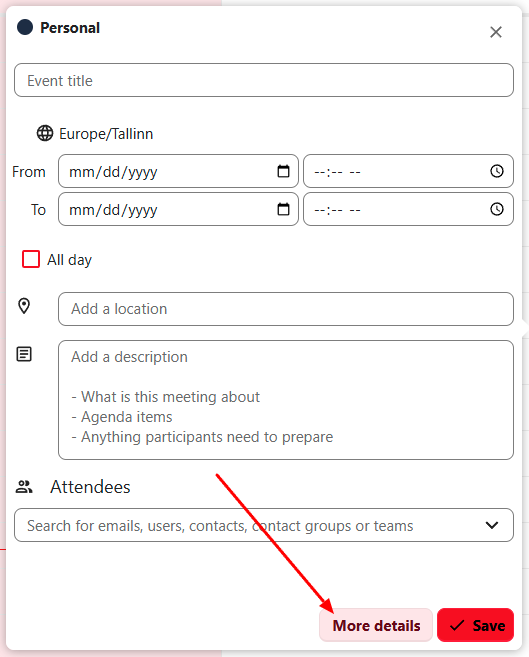
After that, you can enter the event name (e.g. Meeting with Piret), choose the calendar where the event will be saved (e.g. Personal, Department events), adjust the time range, or mark the event as all-day. Optionally, you can also add a location, description, and attendees.
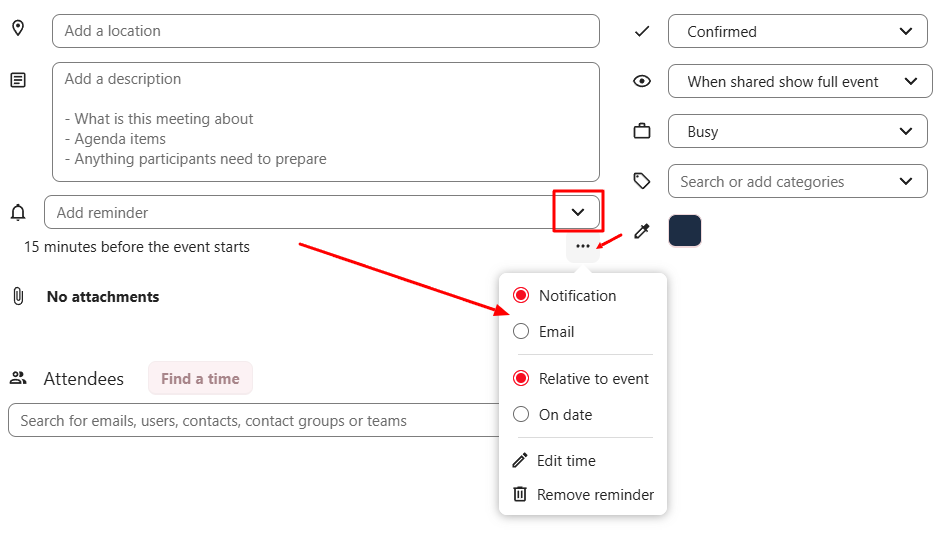
If you want to edit more advanced settings, such as reminders or recurring events, click on More details to open the extended view.
Inviting attendees to an event
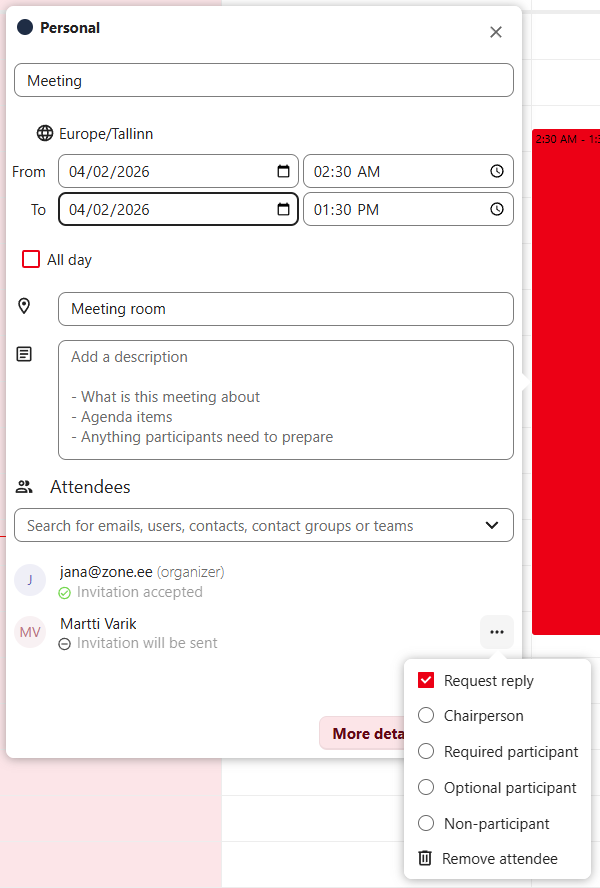
You can add attendees to an event to invite them. They will receive an email invitation and can confirm or decline their participation.
Attendees can be other users in your Zonecloud environment, contacts from your address book, or direct email addresses. You can also set each attendee’s status or disable email notifications for specific participants if needed.
Invitation status indicators (event box appearance in attendee view):
Solid color – accepted
Strikethrough – declined
Striped – tentative (maybe)
Transparent – no response yet
If you are the organizer and all attendees decline, the event will appear empty with a warning icon.
Sharing calendars
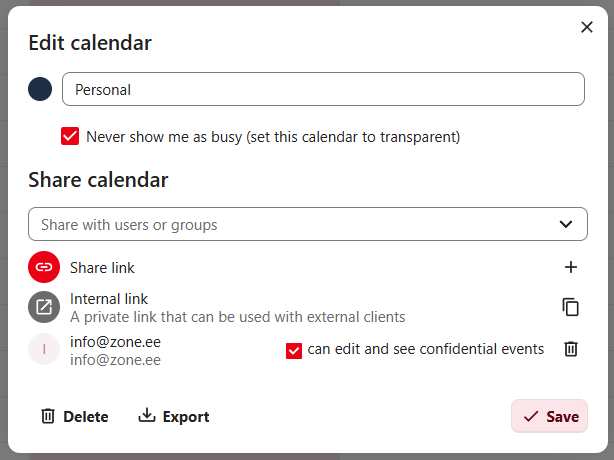
You can share your calendar with users within the same domain, contacts, groups, or with external server users as read-only.
Calendars can be shared with edit access or read-only access. If you grant edit access, other users can create new events as well as modify or delete existing ones.
Setting up reminders
You can set reminders to receive notifications before an event starts. The supported notification methods are:
- Email notifications
- Zonecloud notifications
Reminders can be configured to display either relative to the event (e.g. 10 minutes before) or as a date- and timestamp.