1. Home
  2. E-mail
  3. Webmail.ee
  4. Creating an e-mail account
  1. Home
  2. E-mail
  3. Email setup
  4. Creating an e-mail account
  1. Home
  2. E-mail
  3. Creating an e-mail account

Creating an e-mail account

Attention

Adding an email address requires a domain name and a web hosting package.

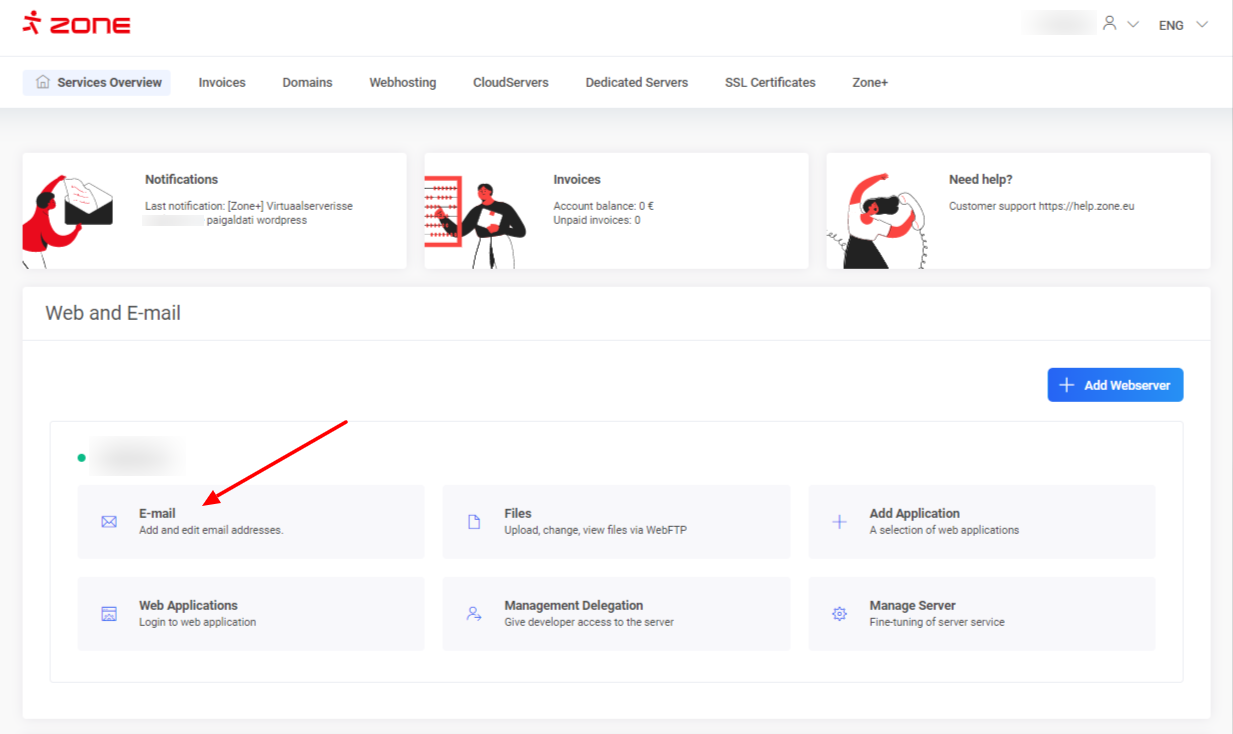
First, log into My Zone and click E-mail from Services Overview window.

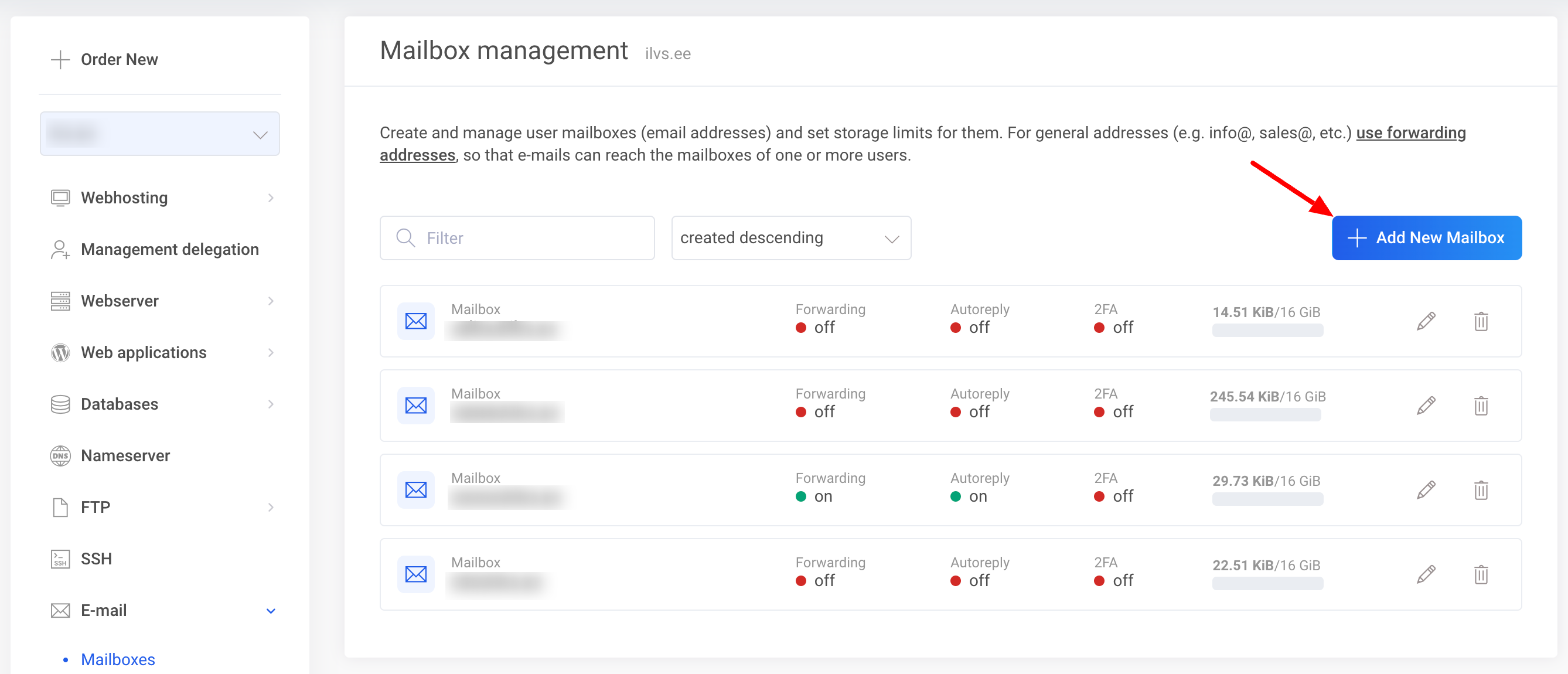
For adding a new e-mail account, click Add.
 

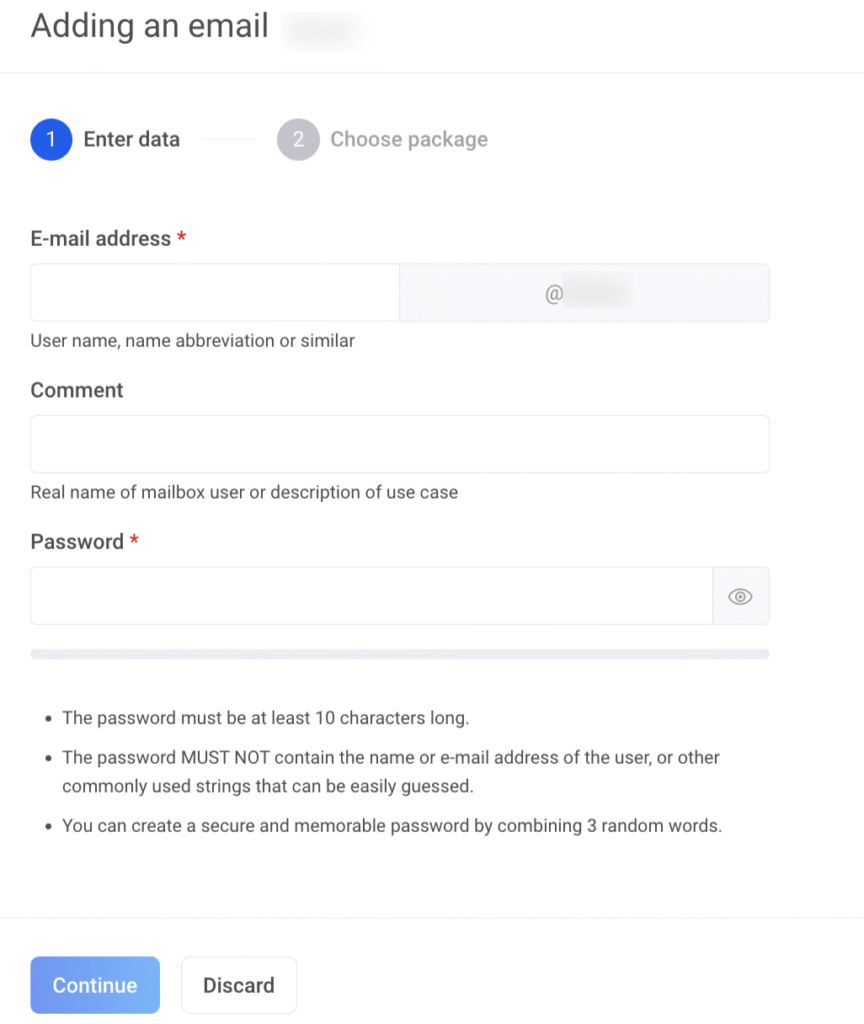
Enter the name of the mailbox in E-mail address field and password in the Password fields. Filling in the Comment field is optional.
Additional info

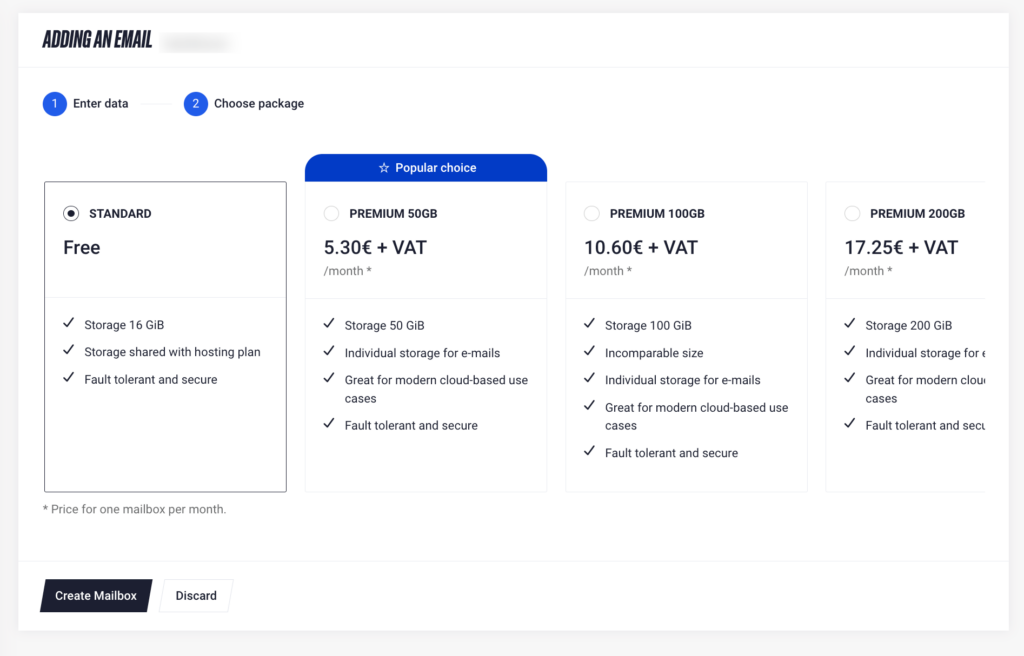
The size of the standard mailbox depends on the web hosting package you use, where the size is 8GiB, 12GiB or 16GiB, respectively.
For those needing more storage, our Premium packages offer upgraded mailbox sizes of 50GiB, 100GiB or 200GiB ensuring you have plenty of space for your growing needs.
More info about Premium e-mail packages.


Click Create mailbox to finalize the process.

The mailbox can be taken into use immediately in our webmail: https://webmail.ee
Instructions on how to add the mailbox to a e-mail client program (Outlook, Thunderbird, MacMail etc) can be found here.

Updated on 1. Jun 2026
Was this article helpful?

Related Articles