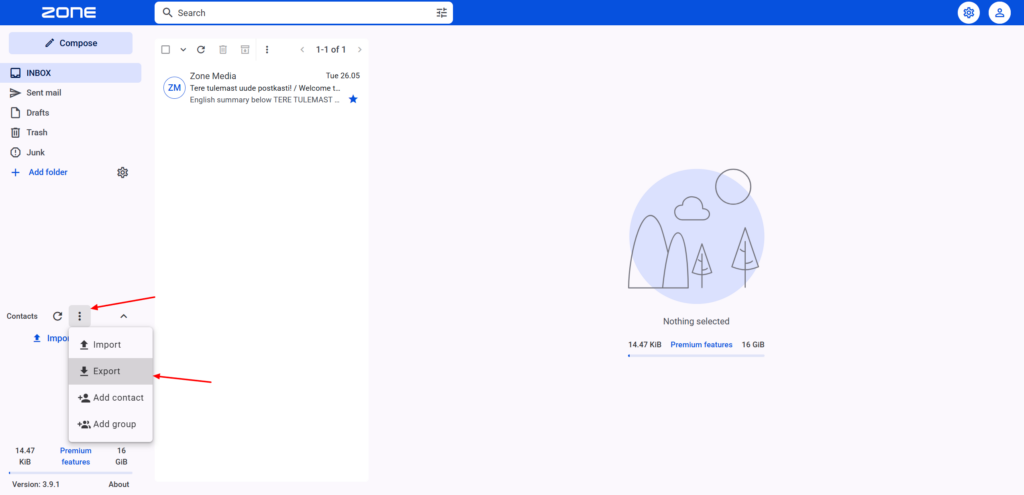
It is possible to add and save contacts in the Zone webmail.
In order to manage contacts, log in to your email account at webmail.ee.
The Contacts menu is on the left under folders.
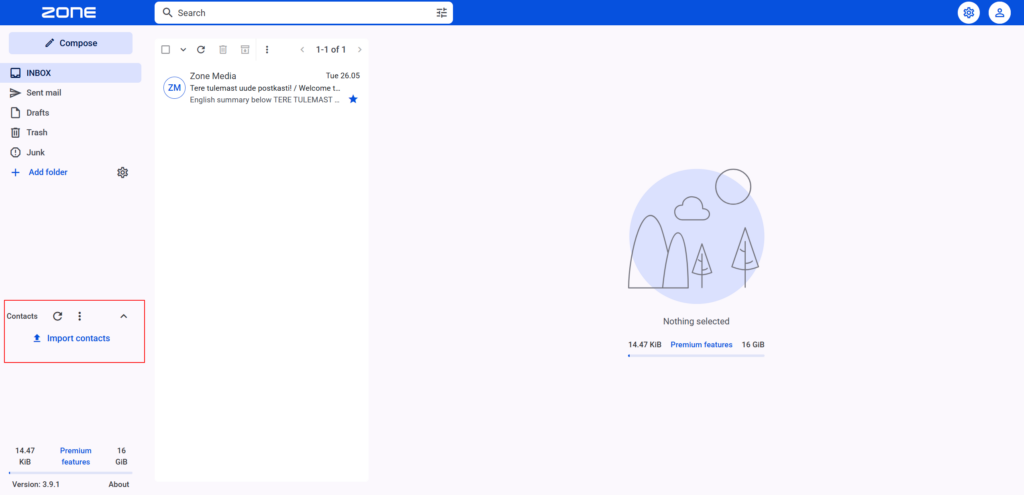
Adding contacts
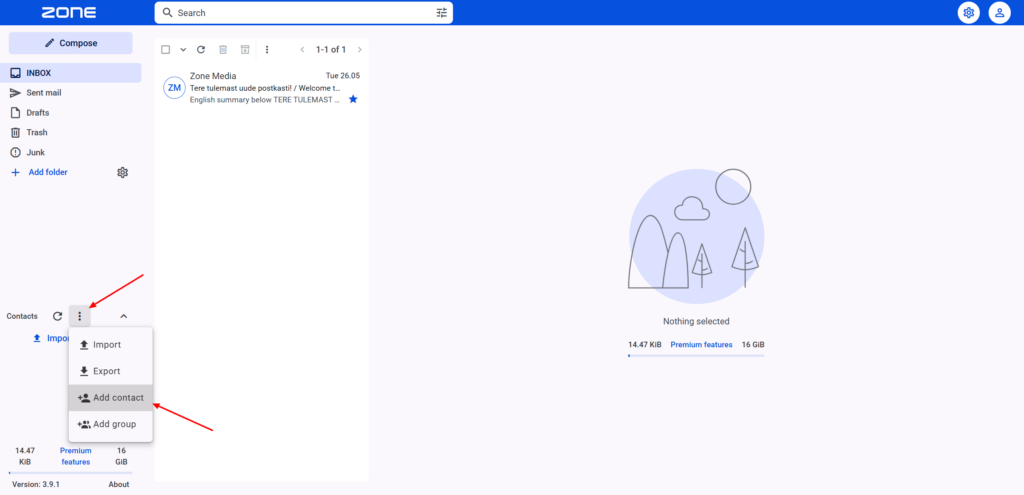
Contacts can be added by opening the contact menu and clicking on Add contact
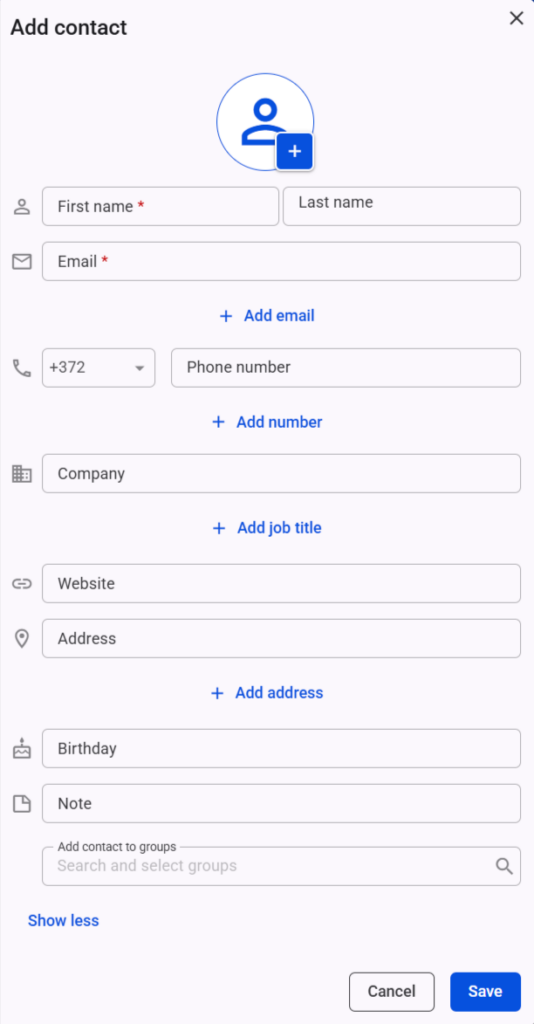
In the new window, enter the contact’s first and last name, and email address. If required, you can also enter the company name, job title, phone number, birthday, etc. Once the details have been entered, click Save and the contact will be saved in the contact list.
Contact groups
If you have several contacts, you can also split them into separate groups. To create a group, click on the Add group button.
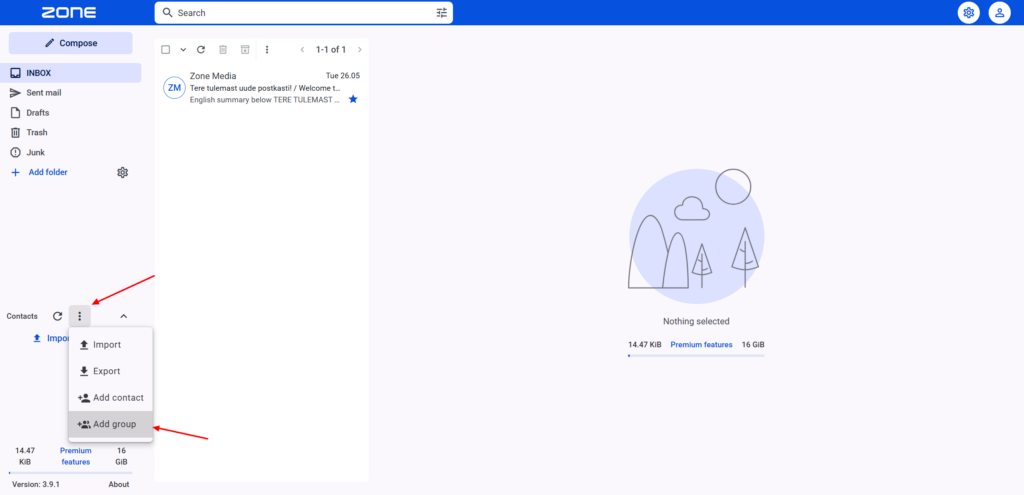
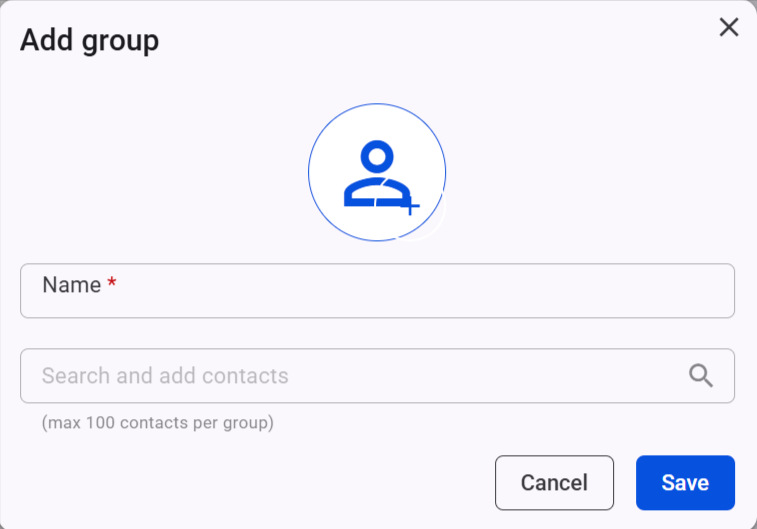
The maximum number of members per group is 100. Add the group Name , select contacts and press Save.
Importing/Exporting contacts
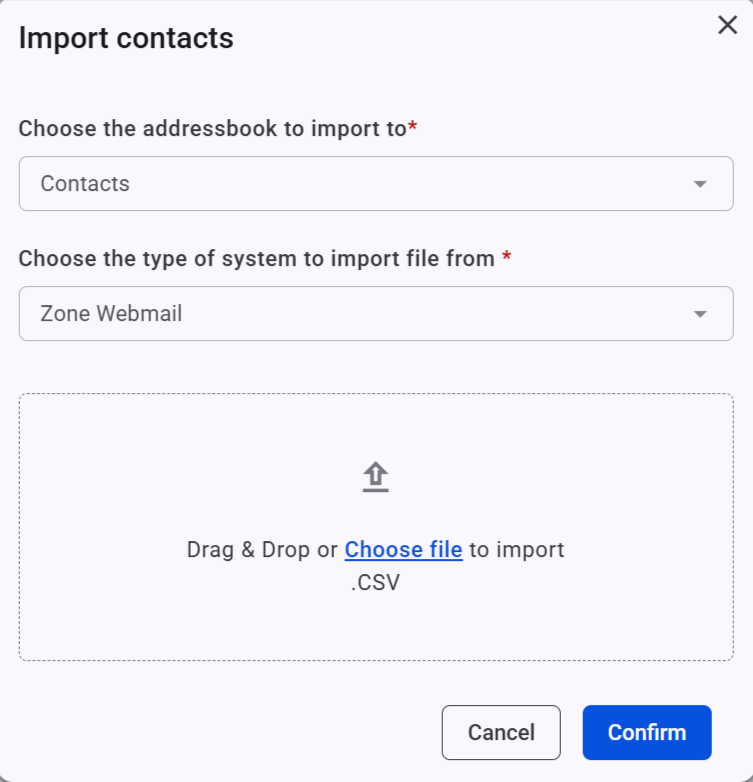
In order to import contacts, open the contact menu and click Import.
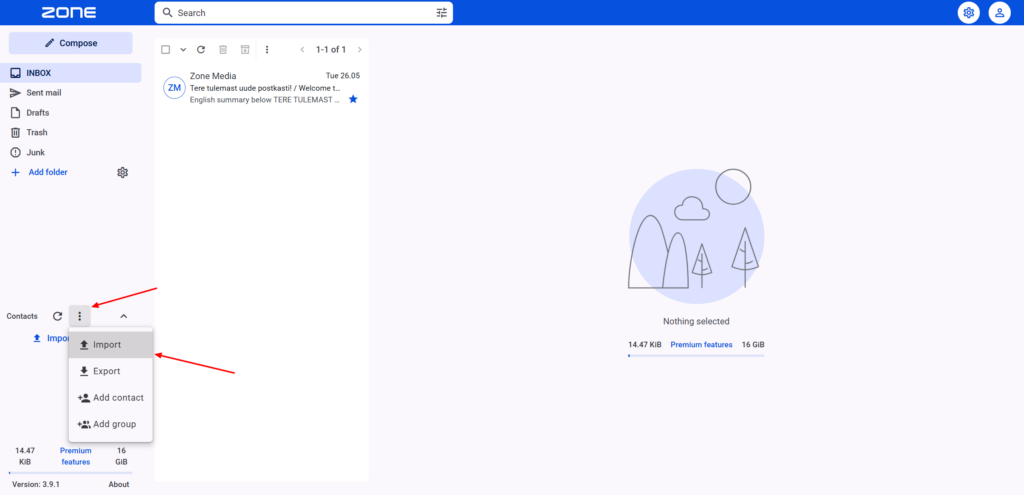
Contacts can be exported in CSV format and imported in CSV, VCF or VCARD format.
In order to export contacts, open the contact menu and click Export.