ZoneCloud can be used via a web browser at: https://zonecloud.ee/
In this guide you will find information about the main settings of the web-based ZoneCloud.
Creating an application password
If you want to connect to ZoneCloud through a third-party client application, you will need to create an application password for the setup.
To create an application password, log in to ZoneCloud with your email account credentials at: https://zonecloud.ee/
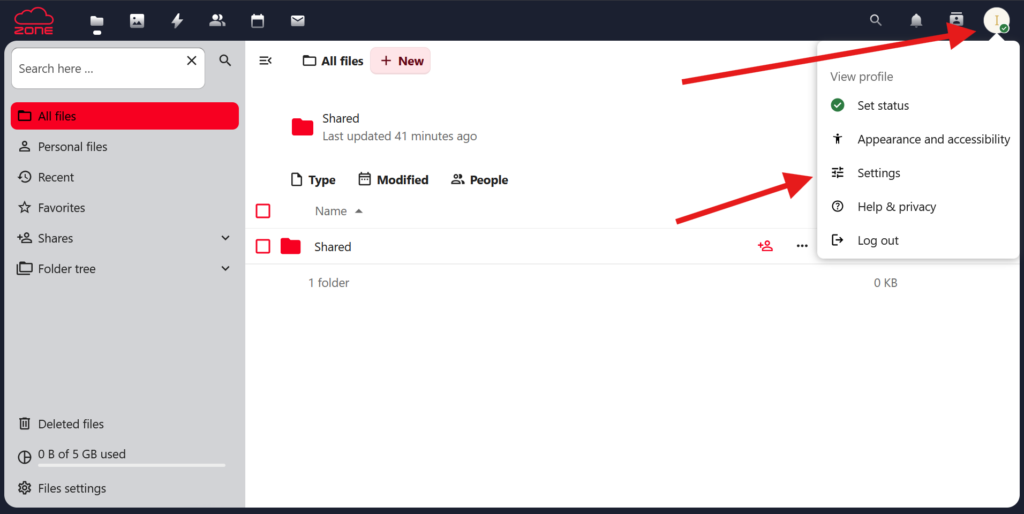
Then click on your profile icon in the upper right corner and select Settings.
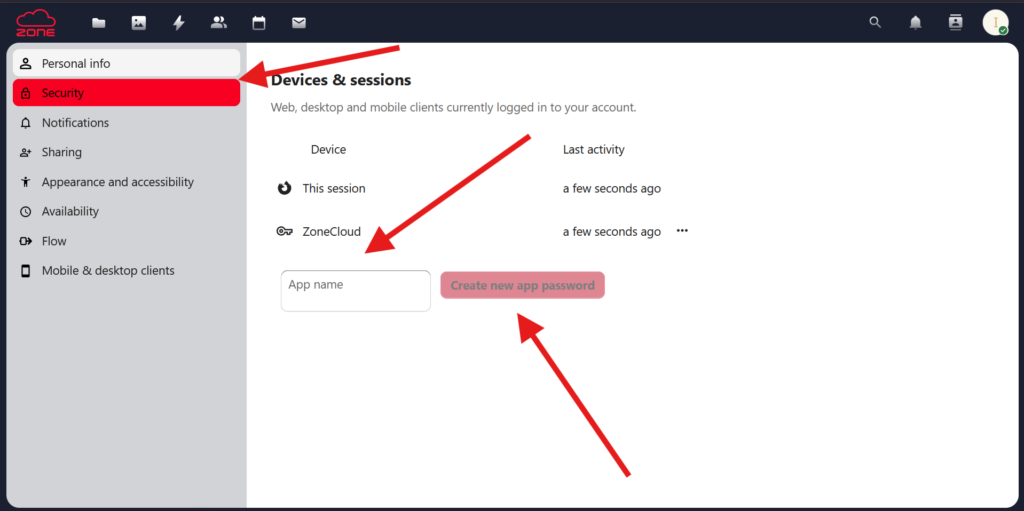
Under Settings, click Security, then enter the application name in the field App name and click Create new app password.
Copy the created application password and use it when configuring the desired application.
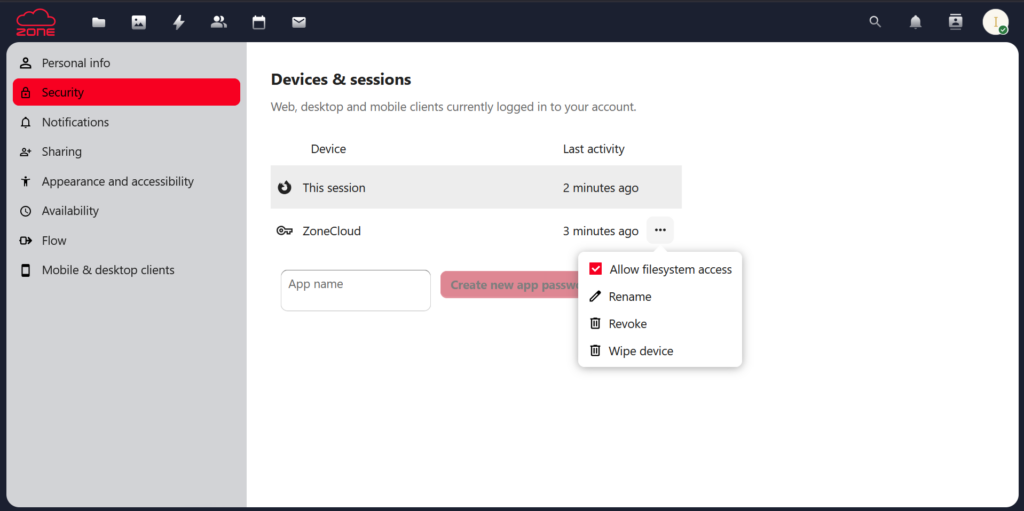
Devices and sessions
From the same view you can manage all created application passwords, devices and sessions, and delete them if necessary.
Activity log
In ZoneCloud you can monitor all activities in the Activity section.
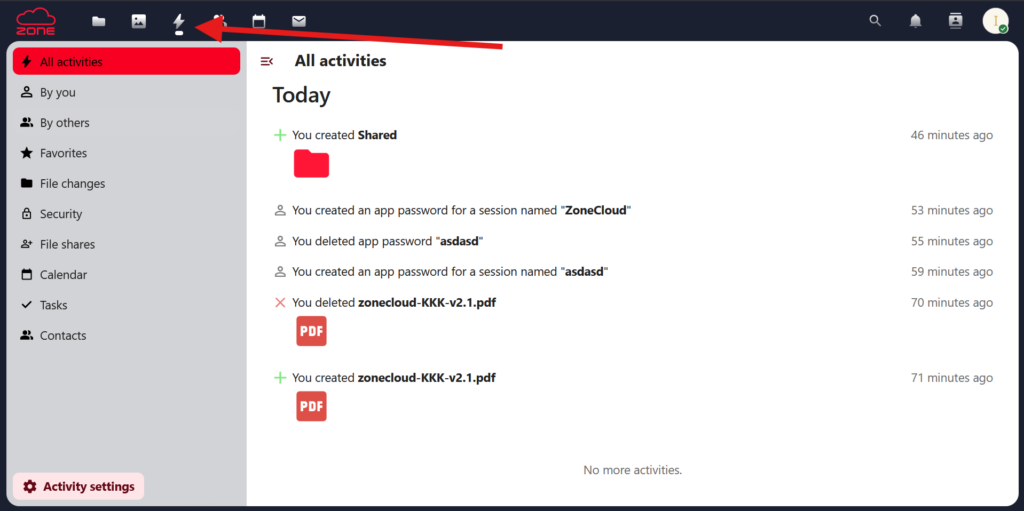
From this view you can see all actions performed in your ZoneCloud, such as changes to files or account settings.
Notifications
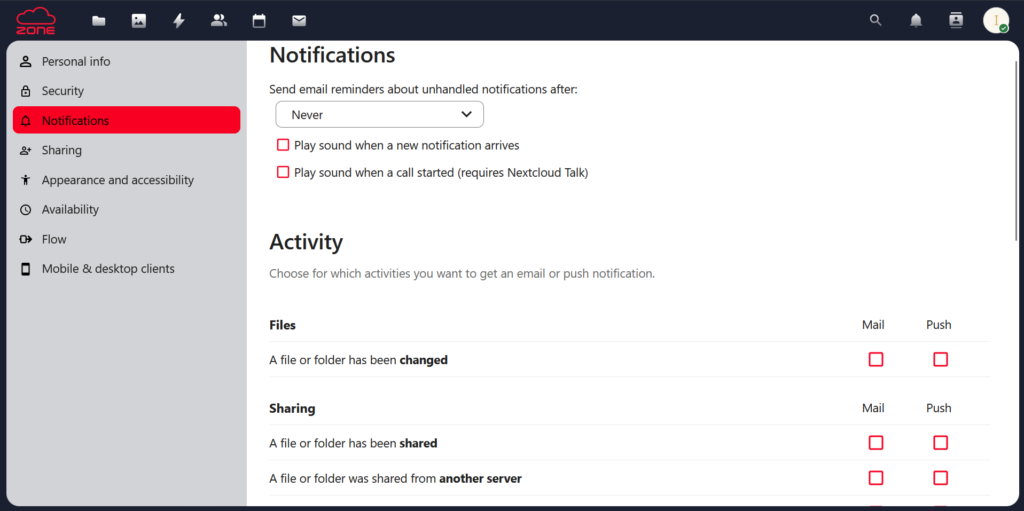
In ZoneCloud you can configure notifications that will be sent to you by email when certain actions occur in the account.
To configure notifications, go to the Activity section and click Activity settings and Personal notification settings.
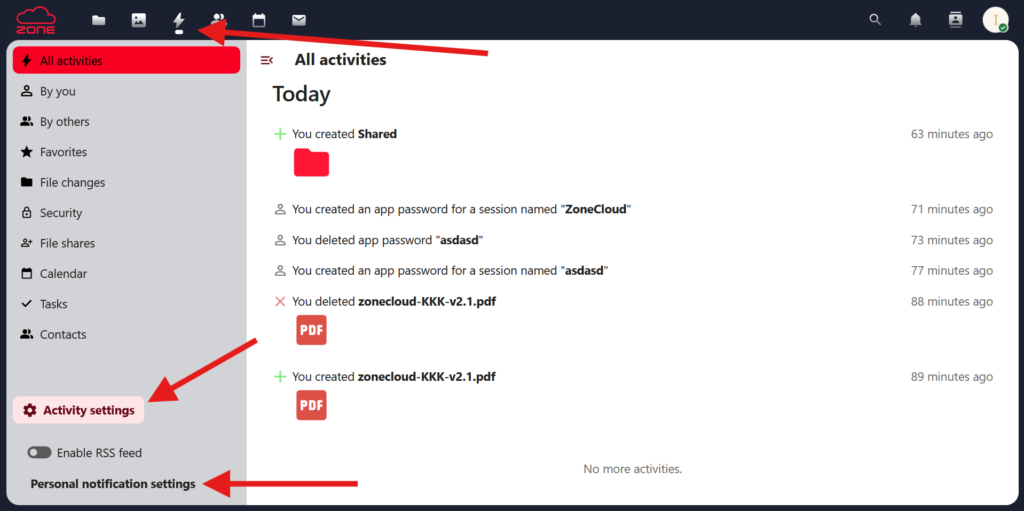
In the next view you can configure the notification sending interval and select with checkboxes which actions should trigger notifications from ZoneCloud.