
Notifications
Before a domain expires, notifications are also sent regarding its upcoming expiration.
We send expiration notices 30, 14, 7, 3, and 1 day before the domain’s expiration date.
30 days before expiration, we generate an invoice for a one-year domain renewal, and this invoice is included with the expiration notice sent to the contact email address associated with the ZoneID account. If the domain is renewed, we will not send any further expiration notices.
Notifications about the domain expiry are sent to the domain owner’s email address and to your ZoneID account’s contact email address.
Automatic renewal bill is sent to your ZoneID account’s contact email address (NOT to your billing address)
Domains that are subject to an expiration threshold period (Threshold Period) receive their first expiration notice when there are 60 days plus the threshold period remaining until the domain expires.
This article provides an overview of domains that have an expiration threshold period.
Renewal
You can renew the domain before the automatic renewal order and bill is issued, by following those steps:
In “My Zone” control panel click on your domain name from “Services Overview” window.
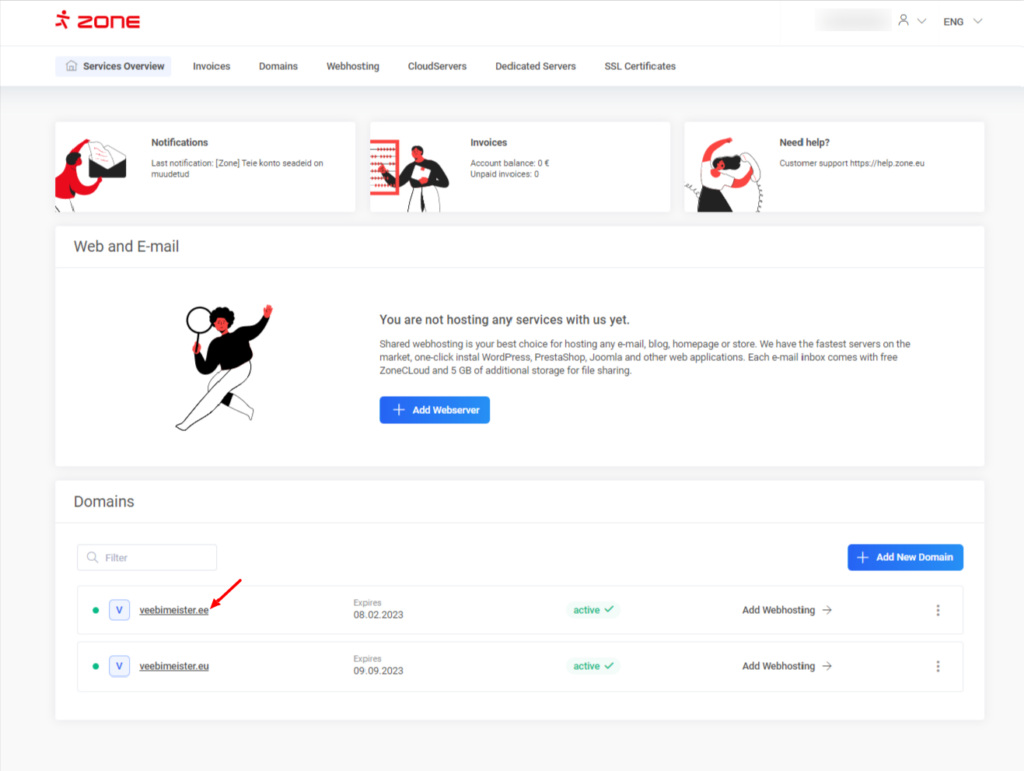
From the next window, click “Renew”
The maximum renewal period varies by domain extension. Some domains can only be renewed for one year at a time, while others can be renewed for up to ten years. You can select the desired renewal period from the Period drop-down menu.
Automatic renewal orders are generated for one year only.
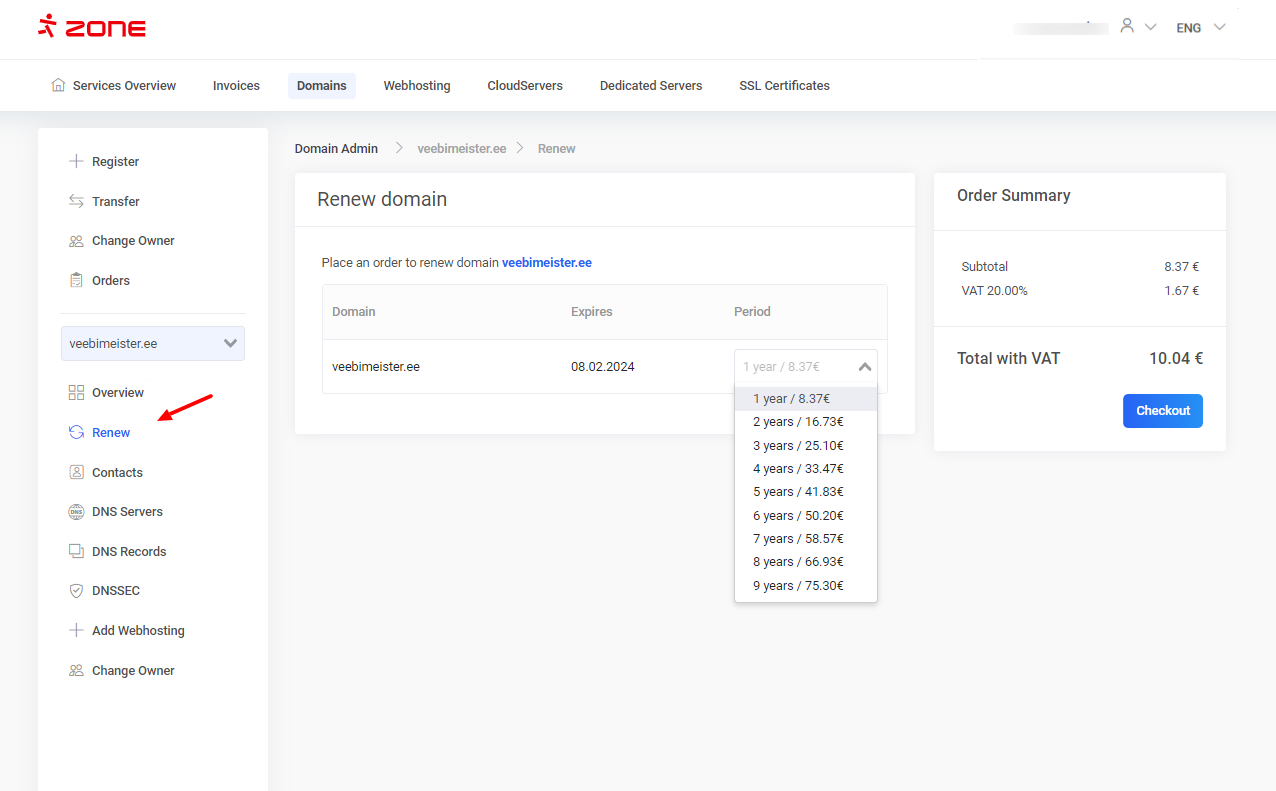
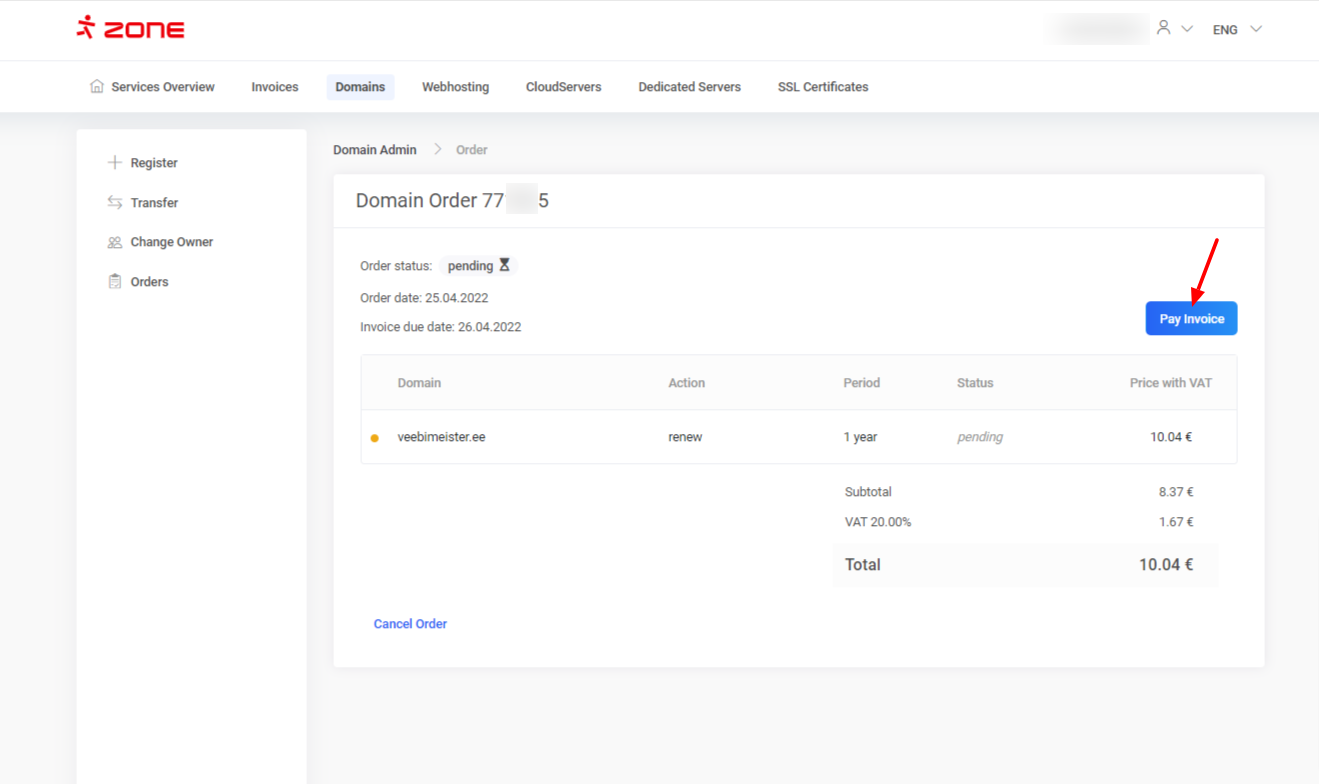
Submit the order by clicking on the “Checkout” button, you will be redirected to the order overview page, where you can pay the invoice.
Additional information
Please note that the issued bill’s payment term is one day.
The reason for this is to avoid any possible downtime caused by domain’s expiry and that all your services will keep working as intended.
You can pay the bill later, but it should be paid prior to the expiry date of your domain. An unpaid renewal order will be automatically cancelled in 30 days.
Cancelling the domain order
In some cases, you may have been issued a renewal bill for a domain that you no longer need or use.
To cancel domain’s renewal order simply click on the “View order” button from “Overview” window
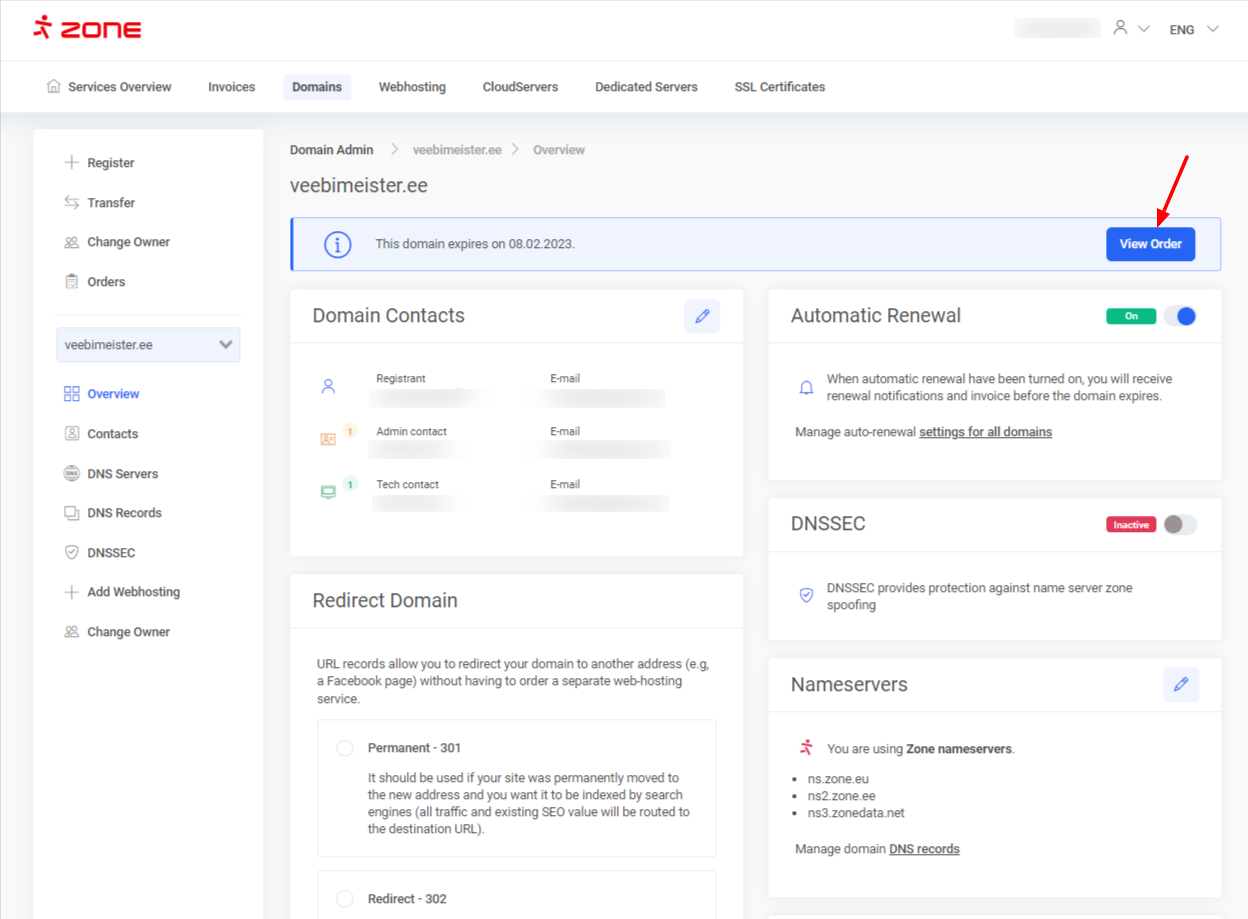 Click on the “Cancel order” button and confirm
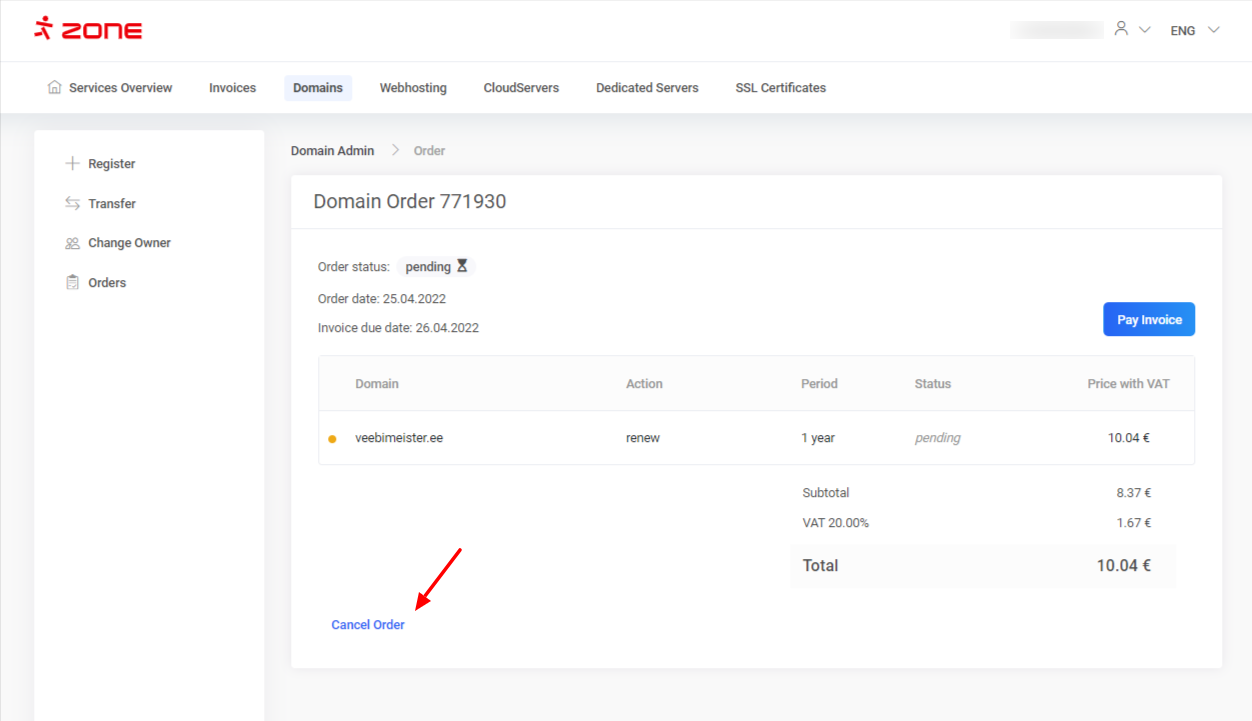
An automatic credit invoice will be issued and you will no longer receive email notifications about the domain expiry. Domain will expire in the registry at the end of it’s registration period.